E-commerce cybersecurity: Protect your online store

Learn about our editorial policies



Launching an e-commerce site is an excellent way to grow your business, getting more of your goods into consumers’ hands. But slithering around every corner of your digital storefront are hackers, desperate to steal the sensitive customer data your company receives.
And if your small business gets hit by a cyberattack, the damage can be catastrophic, including:
- Loss of sales from site disruptions
- Legal fees from lawsuits and penalties
- Increased insurance premiums
- Erosion of customer trust and brand equity
To properly protect your business and your customers’ data, it’s important to understand the types of threats that could be coming for your e-commerce site and how you can try to prevent them.
Top cybersecurity threats in e-commerce
Armed with artificial intelligence (AI), malicious code, and countless bots, hackers launch sophisticated cyberattacks on e-commerce sites to steal financial information, commit financial fraud, and crash sites.
To build an admirable defense, you have to understand the enemy. Here are some of the biggest cyberthreats to e-commerce websites right now:
E-skimming: Hackers gain unauthorized access to an e-commerce platform and inject malicious code so they can steal real-time customer data, such as credit card information, as it’s entered on a checkout page.
These highly elusive attacks are often conducted by Magecart groups. These are organized cybercriminal clusters that scan e-commerce platforms for unpatched software and other vulnerabilities in order to gain system access, take over user accounts, and infect sites.
DDoS attacks (Distributed denial of service): Thousands of bots are used to flood a site with so much traffic that it overwhelms the servers, causing an online shopping site to crash.
Scraping: Bots are used to crawl a website to steal product descriptions, prices, customer reviews, and other proprietary content that can be used for fraudulent activities, such as creating a clone e-commerce site.
Brute-force attacks: Hackers try to steal login information, encryption keys, and other access credentials through automated trial-and-error programs.
Credential stuffing: A type of brute-force attack where hackers take large amounts of username and password information leaked from an earlier data breach and try to use it on other websites.
Application programming interface (API) abuse: Cybercriminals use bots or stolen login credentials to take over an e-commerce site’s APIs to steal confidential information or crash a site.
SQL injection (Structured Query Language): Hackers inject malicious SQL code into an e-commerce site’s input fields to manipulate the site’s database to steal sensitive data or cause disruption to business operations.
Malware: Cybercriminals insert malicious software called malware into a website to steal private data, redirect your pages to other sites, or insert malicious pop-up ads on your platform.
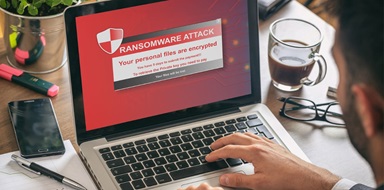
Ransomware: To carry out cyber extortion on a business, hackers will use a type of malware known as ransomware to encrypt important data and demand payment for its release.
Phishing: Hackers use phishing and other social engineering tactics to send credible-looking emails, texts, or other communications to manipulate people into disclosing confidential information or clicking on malicious links.
Business email compromise (BEC): As a more targeted form of phishing, BEC uses emails that impersonate established businesses or individuals requesting funds or sensitive information.
Insider theft: Employees or contractors with access to systems and valuable information might accidentally—or intentionally—take actions that lead to data breaches or fraudulent transactions.

How to protect your e-commerce business
If you had an incredibly valuable jewelry collection in your home, and you knew thieves were going to try to get it, chances are you’d probably install more than a lock on your front door.
When it comes to preventing data breaches and malware attacks on your site, you need to take the same approach, adding multiple layers of e-commerce security to keep predators away. This includes:
Assessing vulnerabilities
Even if you have a few website security protocols in place, it’s important to walk the perimeter and look for any weaknesses that hackers could take advantage of to access your systems. This could include:
Penetration testing, also called ethical hacking, is when cybersecurity experts are hired to use the same methods as malicious hackers to simulate a cyberattack to test a site’s defenses.
Pen testers can also test apps, APIs, routers, source code, and other networks. This test would give you a clear picture of the areas where you need to amp up your security measures.
Creating a safer site
It’s imperative that customers feel safe purchasing goods from your site. By securing your digital storefront and site infrastructure, you’ll earn shoppers’ trust and gain a reputation as an honest online retailer.
Here are some ways you can establish your e-commerce integrity:
- Ensure all software and plugins are updated. Hackers love outdated software, so enabling automatic updates or regularly applying patches to your e-commerce platform, software, and plugins can reduce vulnerabilities.
- Use a secure sockets layer/transport layer security (SLS/TLS) certificate to encrypt data, keeping customers’ data secure between their browser and your website.
- Have a hypertext transfer protocol secure (HTTPS) URL and a padlock to assure customers that their personal information, such as credit card numbers, will be safe on your site.
- Implement a web application firewall (WAF) to give your website extra protection and monitor traffic to prevent malicious attacks.
Limiting system access
No e-commerce site should have an open-door policy, but adding a few extra layers of authentication can help keep even the slickest intruders out. These include:
- Introducing multi-factor authentication (MFA), which requires users to provide a second form of verification, making it harder for a hacker to gain entry.
- Require strong passwords for any accounts that can access your systems.
- Limiting access to networks and data based on employee roles and responsibilities.
Evaluating every vendor
Before giving third-party service providers access to your systems and sensitive information, it’s crucial to know who you’re letting in. Here are a few precautionary moves you can make to filter out bad actors:
- For third-party vendors, such as payment processors or analytics trackers, it’s important to review their security records and protocols, ask for their certifications, including payment card industry compliance (PCI), and carefully go over contracts before bringing them on.
- Before integrating APIs into your site, including marketing or inventory tools, make sure you review all providers’ performance history, only provide access to the data an API needs to function, and use an API gateway to enforce security policies and block hackers.
- Routinely audit third-party scripts, plugins, and themes to remove any you don’t use and to ensure the rest are updated with the latest security patches.
Rallying the troops
Teaching your team about cybersecurity protocols and common hacker scams can help you reduce employee mistakes and have a stronger line of defense.
By providing regular training, employees can learn to spot potential ransomware attacks, be mindful of social engineering attempts, and know how to report red flags and suspicious activity.
Staying alert
Once you have all of the important security measures in place, you’ve got to be vigilant about threats and have a detailed plan in case a cyberattack does occur. You can do this by:
- Regularly backing up your website and customer data minimizes downtime and allows you to restore your site quickly if you have a cyber incident or system failure.
- Closely monitoring site activity and third-party vendor activities.
- Implementing endpoint detection and response (EDR) software and anti-malware to scan files, monitor site activity, block malicious code, and notify you when a threat is detected.
- Developing an incident response plan that outlines how to deal with data breaches, ransomware attacks, and system outages.
Cyber insurance for e-commerce businesses
It can be aggravating to know that even the most well-guarded e-commerce sites can still get hit with cyberattacks and other online security issues. But that’s why cyber insurance was created.
If your digital storefront has a security breach or bots overwhelm your web servers, a cyber liability policy will cover the substantial financial losses, so your business can continue to grow.
There are two types of cyber insurance. Understanding the different options will help you choose what kind of coverage your business needs.
First-party coverage, also known as data breach insurance, protects your business from the financial impact of data breaches, phishing losses, or ransomware attacks, including costs for:
- Notification and credit monitoring for affected customers
- Cybersecurity services to recover stolen data
- Supplementing lost sales during business interruptions
- Hiring public relations services to manage any bad publicity
If a customer sues your e-retail company for failing to prevent (or causing) a data breach, and their personal data was compromised, third-party coverage can pay for lawsuit-related fees, including attorney costs, settlements, and court-ordered judgments.
Tech E&O: An overlooked layer of protection
For maximum protection, e-commerce businesses can purchase technology errors and omissions insurance (tech E&O). This policy bundle combines errors and omissions insurance with third-party cyber liability to protect a company against the risks and legal fees tied to data breaches.
For example, if a site’s third-party shipping vendor has a network security failure, it could cause a system crash, leading to a lawsuit over lost sales.

Evaluating the risk of a cyberattack and the related costs of data recovery and legal expenses can help you determine how much cyber liability insurance your small business needs.

Here’s some good news: if your insurance provider conducts a security audit and determines your business has strong cybersecurity controls, you can negotiate better terms, including lower premiums.
These are some of the key measures that can influence this:
- Enhancing access controls, such as implementing MFA and assigning permissions based on roles
- Creating a detailed incident response plan
- Regularly assessing cybersecurity protocols, including pen testing
- Conducting routine employee training
Keep in mind, if your e-commerce business demonstrates poor security standards, you could face denied claims or increased insurance rates.
Get the right coverage to protect your online store with Insureon
Ready to improve your e-commerce business’s cybersecurity protection today? Get free quotes for cyber insurance from top-rated insurance providers by filling out our easy online application. You can also speak with a licensed insurance agent, who can answer questions and help you find affordable coverage.
Once you find the right policies for your small business, you can begin coverage in less than 24 hours and get a certificate of insurance (COI) for your small business.